Latest News:
 |
|
Montage helps you be more
productive |
|
Save time on repetitive tasks

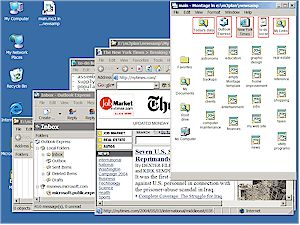
Launch and arrange multiple application windows in one step,
or close a group of programs with a single click, automatically
saving and restoring window layouts. |
Get the most out of your display
 Reduce screen clutter and make it easier to work with multiple
windows, even when display space is severely limited. Montage
provides the kind of screen organizing capabilities you need to
enjoy the benefits of a "paperless office". |
|
Manage your information
and activities
 Organize
and integrate not just information, but how you use it, so you can switch
instantly from one activity to another, regardless of how many projects or how recently you've worked on them. |
Create a portable work environment
 Take your office with you, whether you're giving
presentations on the road, shuttling between home and office, or
moving to a new machine. Montage's portability features help you
manage storage and backups, and deliver your knowledge to others
in a more flexible way, conveying more
information than any static document. |
|
Visually organize all
of your information resources

Search tools are great, but how do you assimilate the results and
put them into the most convenient possible organization for future
reference? Montage gives you a better way to keep track of
everything you've got, plus all you've learned about where to find
more on the web. Create a boundless space of ideas that you
can expand, refine, and navigate without overloading your brain.
|
|
Montage makes life
easier for anyone who uses a Windows PC. It helps you become a "power user",
or if you're already experienced, its unique capabilities for launching, monitoring, and controlling
applications enable you to work even more productively. You don't have to just take our word for it. The program is
available as a fully functional, free trial
download. Beginner or advanced, we hope you agree:
Montage is the tool
you want! Introduction - What is Montage? |
|